Movavi Photo Editor 2023
DESCRIPTION
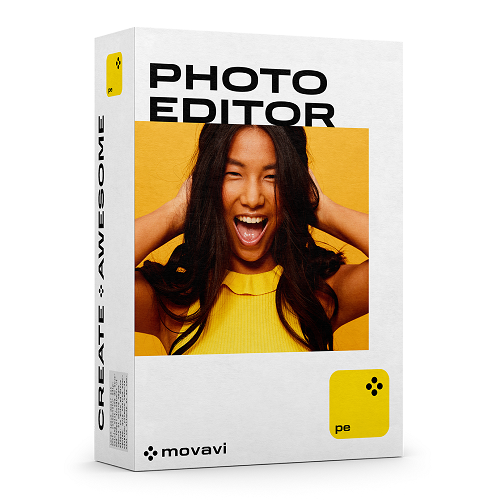
Movavi Photo Editor 2023
Neural network-based photo editor for easy picture enhancement.
New in this release
- Now you can take advantage of presets – and add your own preset to make it easier to adjust the colors.
- We've changed the main color from pink to yellow, name, and icon.
Movavi Photo Editoris a convenient way to make ordinary photos spectacular. Improve picture quality, remove unnecessary elements, and edit photos in no time. Edit your photos Enhance your pictures with simple editing tools. Cut, crop, and rotate images. Rescue overexposed or overly dark images, sharpen details, and remove background noise. Let the smart automatic filters improve the quality of your pictures: just click one button for auto-enhancement. You can also work with image elements individually. Just select the problem area and work with it separately: change brightness and contrast and increase saturation. Apply advanced enhancement tools Take your editing to the next level. Change out backgrounds: place any picture on any background or apply a solid color background. You can also remove unwanted objects – for example, get rid of random bystanders and ugly power lines – with a single action. Thanks to Movavi’s unique, optimized algorithms, objects in pictures can be selected automatically. And more: apply filters and text captions, add frames, and make collages. |
Restore old pictures With Movavi Photo Editor, you can preserve your grandparents’ old photos. Smart tools will save the pictures without any loss of quality. Sharpen details, get rid of scratches, hide crease lines, and remove stains. You can also restore torn corners in photos and bring colors back to life, too. Retouch portraits Smart enhancement tools let you experiment with appearances. Apply basic tools: get rid of wrinkles and blemishes, decrease shine, whiten teeth, and remove the ‘red-eye’ effect. You can even add makeup: redefine eyebrows, apply mascara and foundation, try different eyeshadows and lipsticks. You can change your eye color and even reshape your face. |
Features
|
CONFIGURATION REQUISE
OS Windows
Microsoft® Windows® 7/8/10/11 64-bit with up-to-date patches and service packs installed
Processor
Intel® Core™ i5 or higher, AMD®'s equivalent to Intel® i5 or higher, or compatible processor
Graphics card
Intel® HD Graphics 2000, NVIDIA® GeForce® series 8 and 8M, Quadro FX 4800, Quadro FX 5600, AMD Radeon™ R600, Mobility Radeon™ HD 4330, Mobility FirePro™ series, Radeon™ R5 M230 or higher graphics card with up-to-date drivers
Display
1280 × 768 screen resolution, 32-bit color
RAM
6 GB
Hard drive space
500 MB available hard disk space for installation, 5 GB for ongoing operations Disclaimer: Unfortunately, correct processing of large image files with dimensions greater than 6000x8000 pixels cannot be guaranteed.
OS Mac
Mac OS X® 10.13 or higher
Processor
Intel® Core™ i5 or higher
Display
1280 × 768 screen resolution, 32-bit color
RAM
6 GB
Hard drive space
500 MB available hard disk space for installation, 5 GB for ongoing operations
System permissions
Administrator permissions are required for installation
ADMISSIBILITÉ
PRODUITS CONNEXES
Tout afficher