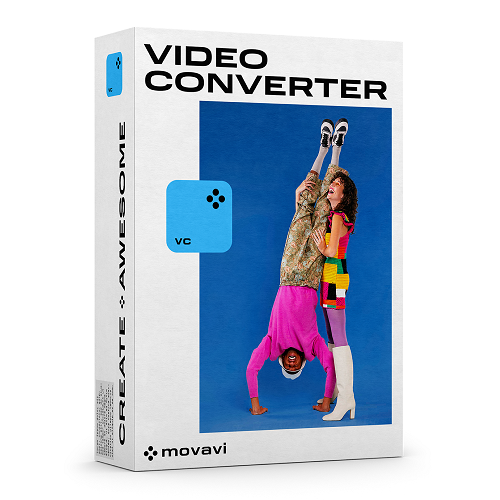
Movavi Video Converter 2023
BESCHREIBUNG
Movavi Video Converter 2023
Fast app for converting to and from 180+ media formats with basic editing tools.
New in this release
- We've improved our AI Upscaling, so now you can increase the resolution of your videos by up to 8 times higher than the original.
- Minor changes in the appearance of the program, including a new name and icon. But don't worry – it's still the same familiar and extremely useful Video Converter.
Movavi Video Converterlets you perform high-speed multimedia conversion. The program supports 180+ formats and includes ready-made presets for 200+ mobile devices. Plus, you can trim and enhance footage, and convert files using the innovative SuperSpeed mode. Revolutionary fast conversion Thanks to support for AMD, NVIDIA CUDA, NVENC, and Intel® Media technologies, you can convert your videos, even 4K, twice as fast. Plus, Movavi’s proprietary SuperSpeed mode lets you save files in the blink of an eye without affecting the original quality. |
180+ supported media formats The converter can process files in any format, including Flash and HTML5 videos and movies in Full HD and 4K Ultra HD. Convert videos between MP4, AVI, MKV, FLV, MOV, MPEG, WMV, M4V, MXF, ASF, TTS; save audio in MP3, WAV, FLAC, WMA, AAC, M4A, AIFF, AU, MKA, F4A, and more; convert still image formats to JPEG, PNG, BMP, GIF, and TIFF. 200+ presets for mobile devices Optimize files for downloading to a specific device, including the latest iPhone and iPad models, various Android devices, TVs, and game consoles. You can choose your device from the list or connect it to the computer before the conversion, and the program will recommend a preset. Optimize videos for Instagram, create iPhone ringtones, and more! Convenient editing tools Crop and rotate clips before conversion and improve picture quality: apply enhancing filters, fill out black borders, remove jitter and visual noise, and more. Adjust the volume and eliminate background noise. Add subtitles and synchronize them with the audio, delete unnecessary language tracks, and search subtitles online from within the program. Select audio stream, subtitle track and bitrate for all your videos at once! Before export, you can also use the AI Upscaling tool and change resolution with no quality loss. |
Features
|
SYSTEMANFORDERUNGEN
OS Windows
Microsoft® Windows® 7/8/10/11 64-bit with up-to-date patches and service packs installed
Processor
Intel®, AMD®, or compatible processor, 1 GHz
Graphics card
NVIDIA® GeForce® series 8, Intel® HD Graphics 2000, AMD Radeon™ R600 or higher graphics card with up-to-date drivers
Display
1024 × 768 screen resolution, 32-bit color
RAM
2 GB
Hard drive space
120 MB available hard disk space for installation, 750 MB for ongoing operations
Recommended Configuration:
- 2.8 GHz or higher multi-core processor
- 1280 × 1024 or higher screen resolution
- Intel hardware acceleration requires an Intel processor with Intel® HD Graphics 2nd generation or higher with up-to-date driver
- NVIDIA® NVENC hardware acceleration requires an NVENC-enabled graphics card with at least 512 MB VRAM and an up-to-date driver
- 4 GB RAM
- 5 GB available disk space for ongoing operations. HD/2K video processing may require larger amounts of free disk space
- Sound card for audio playback
OS Mac
Mac OS Х® 10.13 or higher
Processor
64-bit Intel® processor
Graphics card
NVIDIA® GeForce® series 8, Intel® HD Graphics 2000, AMD Radeon™ R600 or higher graphics card with up-to-date drivers
Display
1280 × 768 screen resolution, 32-bit color
RAM
128 MB RAM
Hard drive space
140 MB available hard disk space for installation, 750 MB for ongoing operations
TEILNAHMEBERECHTIGUNG
VERWANDTE PRODUKTE
Alle ansehen